
Home › Home › Who it's for › Florists
Florist software for wedding and event work
Your shop tools handle walk-ins. Gina handles the weddings.

Quick answer
Most florist software is point-of-sale for walk-in and wire orders. Gina handles the wedding and event side: it answers inquiries, turns consult notes into a proposal from your own recipes and pricing, and drafts the deposit request for your approval.
Bring your whole team: everyone works with the same Gina, one shared assistant in the cloud with shared threads, one memory of your business and one place to approve. How teams share Gina
Your week today
Inquiries while your hands are full
A bride writes during the Saturday rush.
Consult notes to proposal
Recipes and pricing rebuilt for every wedding.
Deposits and final counts
Chased by email in the last two weeks.
What Gina does with it
Short, muted clips of the job and what Gina hands back. Every draft waits for your yes.
DMs, texts, email and your site form, in one list
Each inquiry lands in one pipeline with a reply drafted and waiting for you.
Inquiries scattered across email, Instagram DMs, text messages and a website form fly into one pipeline with New, Replied, Proposal and Booked stages. The Morgan wedding inquiry opens and shows a reply Gina drafted, waiting for approval.
What Gina takes over
Every inquiry answered
A reply drafted for each inquiry, waiting for your OK.
Quote to deposit
Consult notes turned into a proposal from your recipes and pricing.
Busy season, May to October
Follow-ups and final counts keep moving while you're at the bench.
A week with Gina
An example week. The names and times are made up.
- A June wedding inquiry arrives with a Pinterest board. A reply asking the three questions you always ask is drafted.
- Consult notes from yesterday are filed. The quote is drafted from your price sheet.
- You approve the quote. The deposit link goes with it.
- Last week's quote has gone quiet. A follow-up is drafted in your voice and waits for you.
- Saturday's delivery list is ready. Times, addresses and the day-of contact for each event.
You approve everything
Nothing goes live without your yes.
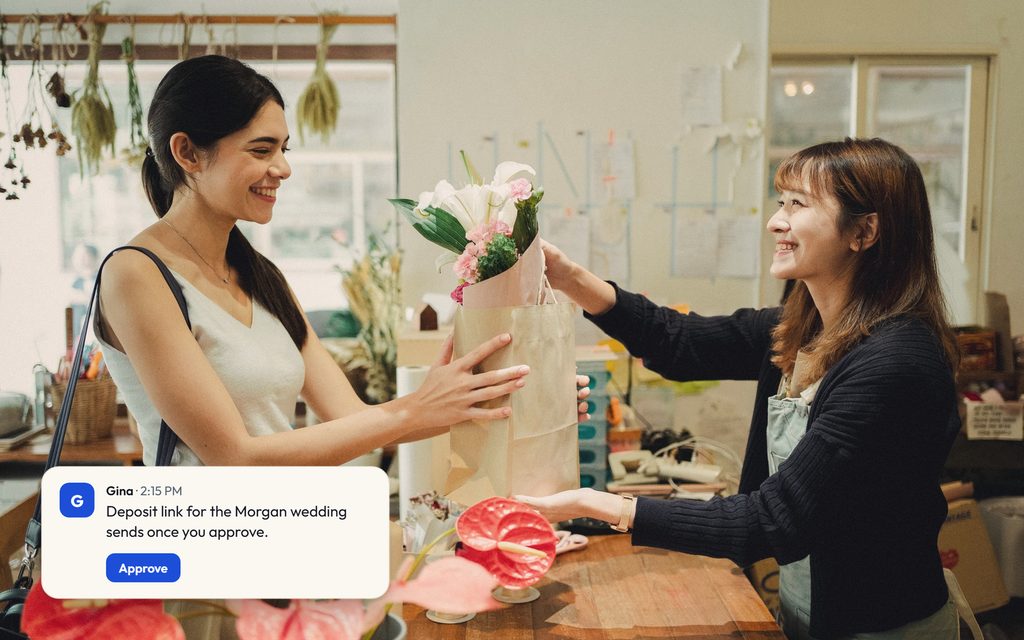
Every reply, proposal and deposit link waits in one list. Approve it, edit it or leave it. Gina never sends on its own.
How approvals workA drafted proposal for the Morgan wedding arrives marked waiting on you. Approve is pressed, a check lands and the card shows Sent. A second draft, a follow-up to the Ellis anniversary party, is edited first to change next week to Thursday, then approved and sent.
What you can check before you decide
No invented numbers or borrowed testimonials. These are the parts you can verify in a demo.
- Nothing goes out without your yesEvery drafted reply, proposal, post or payment waits in your approval inbox until you say send.
- Runs on the agent you already haveGina works through your own AI account, so her work draws on a plan you already pay for. Today that means a Claude Pro or Max plan; more agents are coming.
- Works with the tools you already useYour email, calendar, Google Sheets and CRM. There is no new system to move your business into.
- See the real product firstThe walkthrough videos on this site are recordings of the actual Gina console. In a demo we run it against your week.
Works with your proposal tool (Curate, Details Flowers or your own docs).
Common questions
Does Gina replace my point-of-sale?
Does Gina send anything without my approval?
Can my whole team use it?
What does Gina run on?
Also for: Wedding planners, Event planners, Booking agencies, Venues,
Turn every consult into a proposal the same day.
Start “Three proposals, our way”, or book a 15-minute call first.