
Guides
What to hand off to an AI assistant first
Start with the work that's easy to check, keep the calls only you can make, and widen it from there.
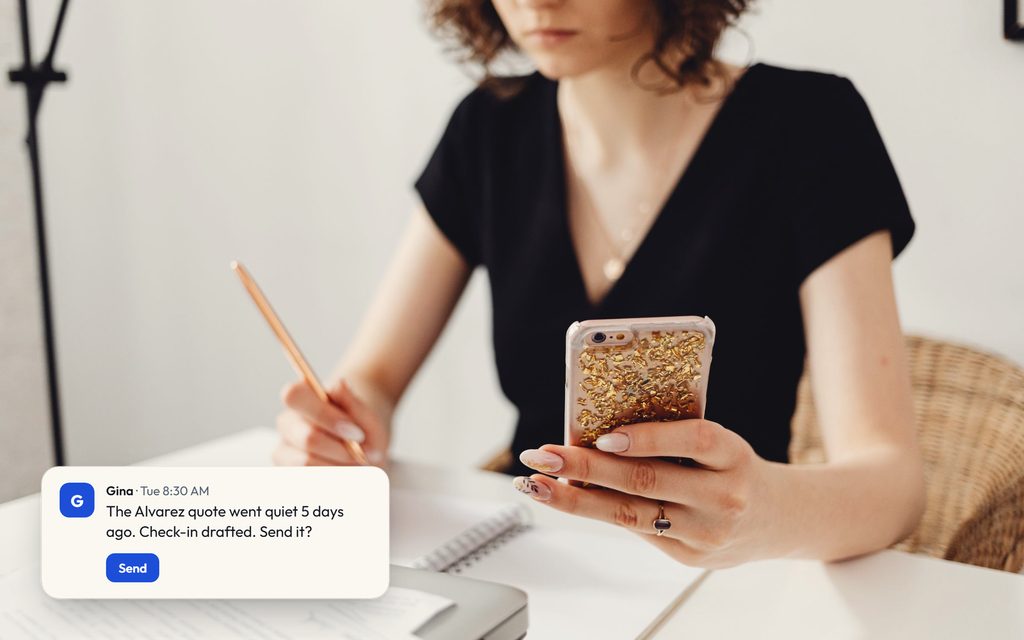
Quick answer
Hand off work that repeats, can be drafted and is quick to check: inquiry replies, quote follow-ups, meeting write-ups, a morning brief, and keeping track of what's still open. Keep the decisions: pricing exceptions, difficult clients, anything that commits money or a date. Approve every result for the first few weeks, then let the assistant take more of the routine as its drafts prove reliable.

Nothing goes live without your yes.
Every reply, proposal and deposit link waits in one list. Approve it, edit it or leave it. Gina sends only what you approve.
- Send a reply to a clientwaits for your yes
- Hold a date or a vendorasks first
- Send a proposal or contractwaits for your yes
- Send a deposit linkwaits for your yes
Runs on your Claude account How approvals work
A drafted proposal for the Morgan wedding waits for your yes. You approve it and it shows as sent. A follow-up for the Ellis anniversary party is edited to say Thursday, then approved and sent.
What you can check before you decide
No invented numbers or borrowed testimonials. These are the parts you can verify in a demo.

- Nothing goes out without your yesEvery drafted reply, proposal, post or payment waits in your approval inbox until you say send.
- Runs on your Claude accountGina works through your Claude account, so her work draws on a plan you already pay for. Today that means a Claude Pro or Max plan; more AI accounts are coming.
- Works with the tools you already useEmail, calendar and documents connect today; your CRM connects on request. There's no new system to move into.
- See the real product firstIn a demo we run the real Gina console on your week.
Why the order matters
Most owners who try an AI assistant start in one of two ways. Some hand it a single small task, like rewording an email, and decide it isn't worth the bother. Others try to hand it everything at once and stop the first time it gets a client's name wrong. Both miss the useful middle: give it a clear set of jobs that come up every week, check its work closely for a while, and widen what it handles as it proves itself. That's how you'd bring on a new hire, and it works for the same reasons.
Three questions sort a job into "hand it off now", "hand it off later" or "keep it":
- Does it repeat? Work that comes up every week is worth setting up once.
- Can it be drafted? If the output is a message, a document or a summary, an assistant can prepare it.
- Is it quick to check? If you can tell in under a minute whether the draft is right, the risk of handing it off is low.
A job that scores yes on all three is a good first hand-off. A job that commits money, a date or a relationship stays with you, however often it repeats.
Week one: the jobs to hand off first
For a small service business, such as a planner, a venue, a florist or a booking agency, these are the usual starting points:
- Replies to new inquiries. The first answer to a new lead is mostly the same facts in a slightly different order: availability, what you offer, the next step. A drafted reply in your voice, waiting for your yes, removes the delay without removing you.
- Follow-ups on open quotes. Proposals often go quiet because nobody sends the second follow-up, not because the client said no. Your assistant can keep the list of open quotes and draft each follow-up when it's due. Our guide to the follow-up email after a quote has the day 3, 7 and 14 pattern.
- Meeting write-ups. After a client call, a write-up of what was agreed and what happens next takes you minutes to check and saves the "what did we say about the timeline?" email two weeks later.
- A morning brief. One message at the start of the day: what's waiting on you, who needs a reply and what's on the calendar. It costs nothing to check and shows you quickly how well the assistant understands your business.
- Keeping track of what's open. Unanswered inquiries, unsigned contracts, unpaid deposits. The list itself is the job; the assistant keeps it current and drafts the next nudge.
Each of these leaves you as the person who decides what goes out. With Gina, every draft waits in one inbox of approvals until you approve, edit or skip it.
What to keep
Some work should stay with you or your team however good the drafts get. An AI assistant can prepare it, but the decision is yours:
- Pricing and exceptions. What to charge, when to discount and when to walk away.
- Commitments. Holding or releasing a date, signing a contract, sending a payment request. Gina can draft contracts and payment requests; none should go out without your yes.
- Hard conversations. An unhappy client, a vendor who let you down, a change of plan on the day. The assistant can pull together the history so you walk in prepared; the conversation is yours.
- Anything you can't check quickly. If verifying a draft would take as long as writing it, it isn't a good hand-off yet.
How to widen it over time
Trust in an assistant should come from its record, not its promises. A simple way to build it:
- Approve everything for the first few weeks. Read each draft. Edit what's off and tell it to remember the fix.
- Write down what you keep correcting. Tell your assistant to remember it: your sign-off, the prices you quote, the clients who prefer a phone call. Gina keeps those in one memory your team shares.
- Move routine work onto a schedule. Once a job is reliable, set it to run on its own: the weekly check of open quotes, the morning brief, the write-up after each meeting. The results still come to you.
- Pre-approve only what has earned it. If a reply type has been right every time for a while, you can choose to let it go out without a check. Keep money, dates and contracts on approval.
What not to expect
An AI assistant only sees the apps you connect and can't do more than the access you give it. It doesn't replace your CRM or your accounting tool; those stay the source of truth. And it can be wrong, which is exactly why the approval step exists. Used this way, the assistant does the preparing and the tracking, and you keep the decisions.
If the idea is new, start with What is an AI chief of staff?, and before you connect your inbox, read Is it safe to give an AI assistant your email and calendar?
Common questions
What's the safest first job to give an AI assistant?
Should an AI assistant reply to clients on its own?
How do I teach it how I work?
What if it gets something wrong?
Hand Gina your first week of follow-ups.
Ask about the 30-day catch-up, or book a 15-minute call first.
